Return to edHelper.com
Classroom Helpers
Make Puzzles
Load a Saved Crossword Puzzle
   
Make Crossword Puzzles

Make a Crossword Puzzle (PDF file created)
For edHelper.com subscribers - Sign up now by clicking here!

edHelper subscribers:

Title
Enter Title:  

Directions (Optional)


Enter the words and clues
You may enter up to 50 words.
Use the Enter key after each word to easily move between words, clues, and the next word and clue!

* If you are NOT an edHelper subscriber, Sign up first before entering your words and clues.

Enter only words or words with clues?
Enter both words and clues for each word
Only enter words - then use edHelper's vocabulary tool for picking clues!


Word
Clue

Click here to add more words
  (space to add up to 50 words will be shown here; your existing data above will remain)

Number of Keys (make more keys to have different versions to give out!)
Select the number of different printables:

   Spell Check and Save your Crossword
Do not spell check and save my crossword puzzle
Spell check and save my crossword puzzle

Crossword Puzzle Options

Difficulty level selected
Please review the various options and then click the button to make your crossword puzzle!

Select the difficulty of your crossword puzzle.
After you have selected the difficulty, you will be able to see all of the options!
Change your current difficulty setting.
If you change the difficulty setting, the options will change below to the level you select.
That includes any changes to settings you made.
Select difficulty:

Placement of Words
Letters can be placed next to each other, even if they do not form words (to create puzzles with more words)
Every letter that is next to each other MUST form a word

Page Layout

Portrait
   
Landscape

Grid Dimensions
Select the number of squares across:
Select the number of squares down:

Crossword Style
       
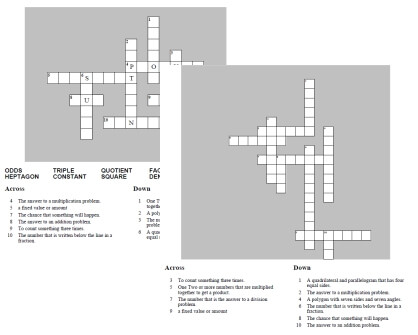
Blank crossword     All intersecting letters
are filled in
    Fill-in the following:

Print Word List
Word List:

Clues
Number of columns used to display clues:

Space to leave on the first page for clues
The more space you give to clues on the first page, the smaller the crossword itself will look.
For the largest crossword puzzle, start your clues on the 2nd page.
How much space to give clues on the first page:

Font (for the clues)


Font Size (for the clues)
Select the font size:

Font Style (for the clues)
Font Style:  
Regular   
Italic
  
Bold
  
Bold Italic

Colors
Font color:

edHelper subscribers:


Make a FREE Crossword Puzzle
Not an edHelper.com subscriber? Build a Crossword Puzzle (HTML output)
     Build an HTML crossword puzzle - Free to non-subscribers (not as many options as the PDF version)


Have a suggestion or would like to leave feedback?
Leave your suggestions or comments about edHelper!